


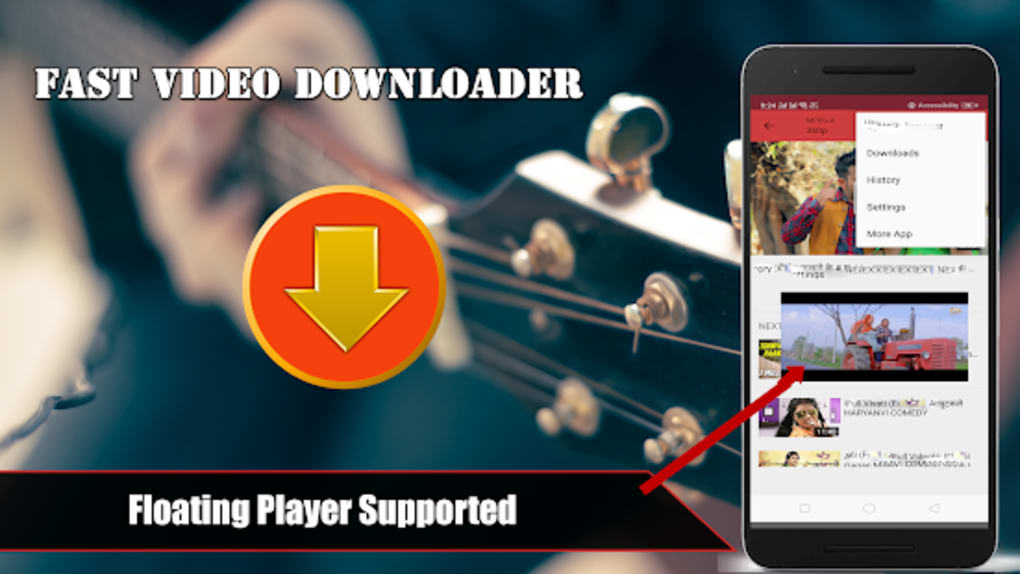




Description
Download Fast Video Downloader 2019 – download videos, free video downloader, YouTube downloader, video downloader for Android, download videos from social media
Overview
Fast Video Downloader 2019 is a free Android application developed by Raftar tech, designed to help users retrieve video content from the web. The software enables users to download videos from major websites and social media platforms, including YouTube, Facebook, Instagram, TikTok, and Twitter. Its primary purpose is to provide a straightforward method for saving online video content for offline viewing. The app is particularly useful for individuals who want to preserve content for later access, especially in areas with limited or unreliable internet connectivity.
Target users include casual viewers, content consumers, and individuals seeking a no-cost solution for video archiving. The software operates as a browser-based tool, requiring installation within a web browser, which suggests it functions as an extension or integrated web utility rather than a standalone desktop application. While the developer is identified, no further background on Raftar tech is available. Real-world usage scenarios may include downloading educational videos, entertainment clips, or social media content for personal use. The app’s focus on ease of use and broad platform support highlights its accessibility for non-technical users.
Key Features & Capabilities
- Multi-Platform Support: Enables video downloads from major websites and social media platforms, including YouTube, Facebook, Instagram, TikTok, and Twitter.
- Multiple Output Formats: Supports various file formats such as MP4, MP3, AVI, MOV, OGG, FLAC, and more, allowing users to choose the best format for their device or use case.
- Simple Download Workflow: Users can search for a video online, click a download button, select a preferred format, and initiate the download process with minimal steps.
- Browser-Based Integration: Designed as a browser extension or web-based tool, it integrates directly into the user’s browsing environment for seamless access.
- Free Access: The software is available at no cost, with no subscription fees or in-app purchases required.
These features collectively aim to streamline the video retrieval process. For example, a user watching a tutorial on YouTube can quickly download it in MP4 format for offline review. Similarly, someone following a viral TikTok video can save it locally for later sharing. The browser-based nature means the app does not require a dedicated installation on the device, reducing system footprint. However, the lack of specified technical details limits insight into advanced functionalities such as batch downloads, resolution selection, or background processing.
User Interface, Workflow & Performance
The user interface of Fast Video Downloader 2019 appears to be minimal and integrated within the browser environment, focusing on simplicity and direct access. Navigation is likely streamlined through a visible download button that activates upon video playback, reducing the number of steps required to initiate a download. The workflow emphasizes user convenience, with a single-click approach to start downloads after format selection.
Given the software’s browser-based nature, performance is expected to depend on the host browser’s efficiency and the user’s internet connection. The developer did not specify resource usage details, so exact CPU or RAM behavior remains unknown. General software behavior patterns suggest stable operation under normal conditions, but performance may vary based on device capabilities and concurrent browser activity. Stability is presumed to be adequate for basic download tasks, though no information is available regarding crash rates, update frequency, or long-term reliability. Users should expect typical browser-level performance when using the tool, with no indication of heavy system impact.
Compatibility & System Requirements
Fast Video Downloader 2019 is designed for Android devices and was released in 2019. The application has a file size of 10.5 MB, indicating a lightweight footprint suitable for mobile devices with limited storage. It functions as a browser-based tool, meaning it requires installation within a web browser environment rather than a native app installation.
Platform compatibility information is limited to Android. Specific versions of Android or browser requirements were not provided. The developer did not specify exact system requirements, including minimum RAM, processor speed, or storage space. Compatibility with specific Android versions or browser types (such as Chrome, Firefox, or Samsung Internet) is not detailed. Users should be aware that browser-based tools may experience inconsistent behavior across different platforms or outdated browsers. The lack of explicit compatibility details means users should verify functionality on their specific device setup.
Pros and Cons
Pros
- Free to use with no hidden fees or subscriptions
- Supports downloads from major social media and video platforms
- Offers multiple video and audio formats for flexible use
- Simple, browser-integrated workflow with minimal steps
- Lightweight installation size of 10.5 MB
Cons
- Exact system requirements and compatibility details were not listed
- Performance and resource usage were not specified
- Browser-based nature may limit functionality compared to native apps
- No information on update frequency or long-term maintenance
- Developer background and support channels are not publicly available
FAQ Section
Is Fast Video Downloader 2019 compatible with all Android devices?
The software is designed for Android, but specific device compatibility details were not provided by the developer. Users should ensure their device supports the required browser environment for proper functionality.
Is the app safe to use?
While the app is described as free and functional, no independent security verification or certification details were included. Users should exercise caution when installing browser extensions from third-party sources.
Does the app require an internet connection?
Yes, an active internet connection is required to search for videos, access online content, and initiate downloads. The app functions as a web-based tool and cannot operate offline.
Can I download videos in high resolution?
The app supports multiple formats, but specific resolution options or quality settings were not detailed in the provided information. Users may be limited to available video qualities offered by the source platforms.
Is the software updated regularly?
There is no information available regarding update frequency or ongoing development. The software was released in 2019, and no recent updates have been documented.
Final Thoughts + CTA
Fast Video Downloader 2019 presents a straightforward, no-cost solution for downloading video content from popular online platforms. Its browser-based design and support for multiple formats make it accessible to users seeking a simple way to save videos for offline viewing. While the app lacks detailed technical specifications and modern maintenance indicators, its lightweight size and broad platform support offer practical value for casual users.
Although the absence of system requirements, performance data, and developer transparency limits deeper evaluation, the software remains a viable option for those prioritizing ease of use and cost-free access. It is particularly suited for Android users who frequently consume video content and wish to preserve it locally.
Download Fast Video Downloader 2019 now
Guides & Tutorials for Fast Video Downloader 2019
How to install Fast Video Downloader 2019
- Click the Preview / Download button above.
- Once redirected, accept the terms and click Install.
- Wait for the Fast Video Downloader 2019 download to finish on your device.
How to use Fast Video Downloader 2019
This software is primarily used for its core features described above. Open the app after installation to explore its capabilities.
User Reviews for Fast Video Downloader 2019 0
No reviews found





